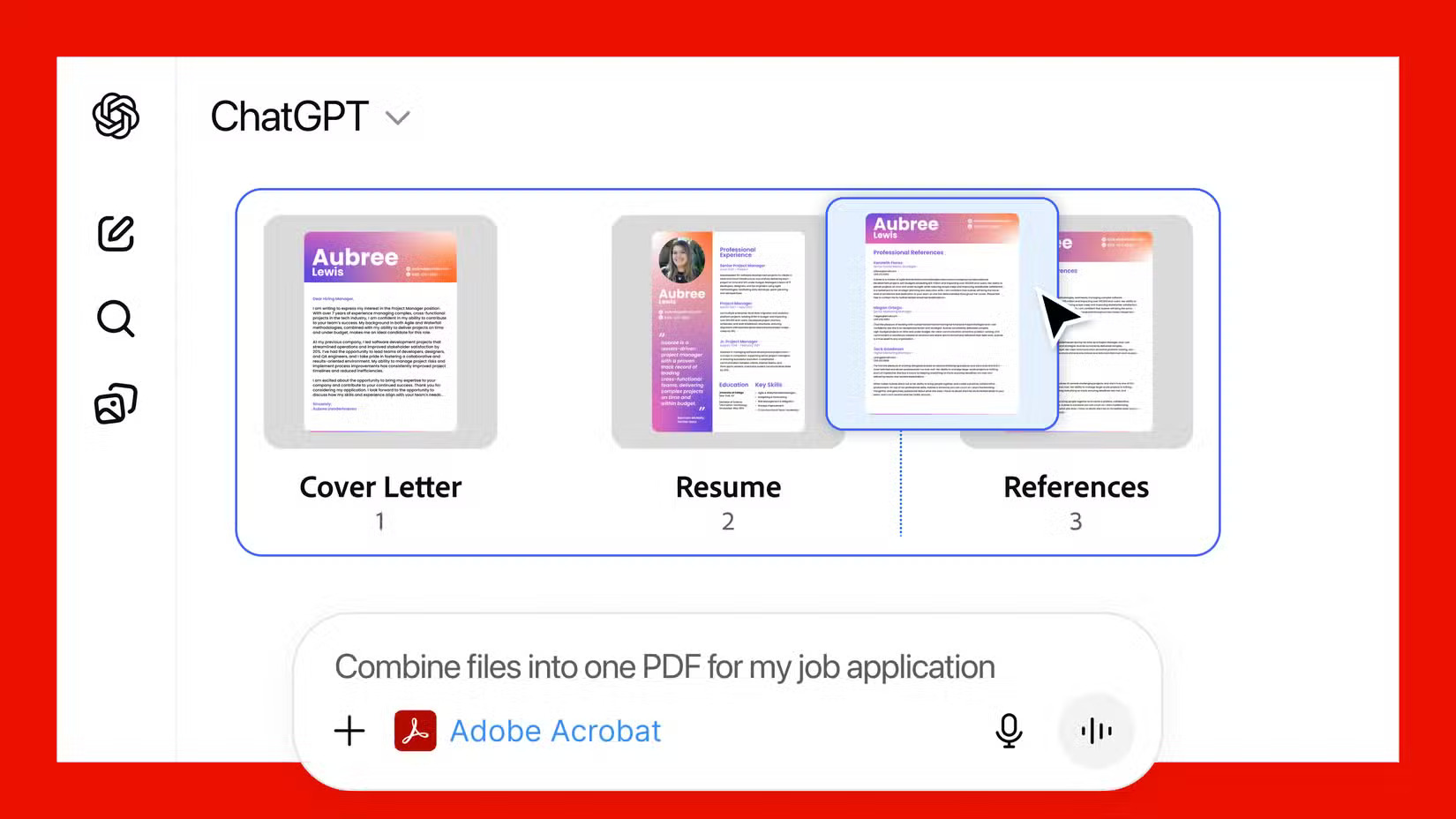
Adobe has officially integrated OpenAI’s ChatGPT into Creative Cloud and Document Cloud, bringing conversational AI directly into apps like Photoshop, Adobe Express, and Acrobat. This allows users to write, edit, design, and automate tasks using simple natural language.
Introduction
Adobe’s integration of OpenAI’s ChatGPT marks a major leap forward for creators, designers, and businesses alike. By embedding conversational AI directly into Creative Cloud and Document Cloud, Adobe is reshaping how users interact with their favorite design and productivity tools. Tasks that once required multiple steps—such as writing captions, editing images, or summarizing PDFs—can now be performed instantly through simple language prompts, dramatically speeding up workflows while making advanced features accessible to beginners and professionals.
Inside the ChatGPT interface, users also gain access to adjustable sliders and intuitive controls for fine-tuning edits in real time, without opening Photoshop at all. And when deeper editing is needed, a single click opens the image directly in Photoshop for full access to advanced tools. With Adobe Express available inside ChatGPT, users can instantly pull up relevant templates and customize them with natural language instructions. For example, if you type, “I want to create a Christmas card using Adobe Express,” ChatGPT will present a curated set of templates that you can modify to match your style, making content creation smoother, faster, and more creative than ever.
User Features
This allows users:
- Create and edit content with simple prompts: Users can write captions, generate ideas, and make quick design changes just by typing what they want.This makes everyday creative tasks faster and easier, even for beginners.
- Work with images and documents instantly: They can remove backgrounds, adjust photos, summarize PDFs, or rewrite text without using complex tools.All of this happens directly inside Adobe apps with ChatGPT’s help.
- Access ready-made templates through Adobe Express: Users can ask for posters, cards, or social media designs and instantly get templates to customize.This saves time and helps non-designers create professional-looking content.
- Fine-tune visuals without opening full Photoshop: Simple sliders and real-time previews let users adjust brightness, colors, and effects quickly. They can switch to Photoshop only when they need advanced editing tools.
How the Integration Works
Adobe has built ChatGPT directly into apps like Photoshop, Acrobat, and Adobe Express, allowing users to perform tasks by typing natural language commands. Instead of navigating menus, you tell the app what you want, and ChatGPT handles the action—whether it’s writing text, adjusting an image, or summarizing a document. Users also get real-time sliders and controls inside the ChatGPT interface to fine-tune edits without opening full Photoshop. When advanced editing is needed, a single click transfers the work into the full Adobe tool.
This integration makes Adobe much easier and faster to use, even for beginners. Tasks that once required skill or multiple steps can now be done instantly with simple prompts. It boosts creativity, speeds up workflows, and removes the learning curve often associated with Adobe software. For professionals, it saves time; for new users, it opens access to tools they couldn’t use before—making creative work more accessible than ever.